

.%0A%0AThe%20Direct%20Answer%0AAn%20...)
Home Security · Guide
| 6 Min Read | Updated June 2026 | The Adoorn Editorial Team |
Amazon Lockers, Explained
Amazon Locker alternatives (and how Amazon Lockers work).
The Direct Answer
An Amazon Locker is a self-service pickup kiosk where you can collect Amazon orders instead of having them left at your door. You choose a nearby locker at checkout, get a pickup code, and retrieve the package within a set window. It is free and secure, but it means a trip. The always-home alternative is a locking package box on your own porch.
| 01 | How To Use It |
How to ship to an Amazon Locker, step by step.
It is straightforward once you know where to look:
- 1 At checkout, choose “Find a pickup location near you” (or add an Amazon Locker as a delivery address in your account).
- 2 Pick a locker by location and availability. Amazon shows which lockers can fit your order.
- 3 Place the order. Amazon emails you a pickup code when the package arrives at the locker.
- 4 Go to the locker, enter the code (or scan the barcode), and the right door pops open.
When the package arrives, Amazon emails you a barcode and a 6-digit pickup code. You have three calendar days to collect it; miss the window and it is automatically returned and refunded. Orders also have to be eligible: sold or fulfilled by Amazon, under 10 lbs, within the locker's size limits (roughly 16 by 12 by 14 inches), and under $5,000.
| 02 | Cost |
Is Amazon Locker free?
Yes. For eligible Amazon orders, Amazon Locker delivery is free, at no additional cost beyond standard shipping. There is no separate “locker fee.” What it costs you instead is convenience: the trip to the locker and the three-day pickup deadline.
| 03 | The Limit |
Can you use an Amazon Locker for non-Amazon packages?
No. Amazon Hub Lockers only accept packages shipped by Amazon. You cannot use a locker address to receive deliveries from FedEx, UPS, USPS, or other retailers. If most of your deliveries come from somewhere other than Amazon, a locker only solves part of the problem. This is the single biggest limitation for most households, and the main reason the at-home alternative below tends to win.
| 04 | Pros & Cons |
Amazon Locker: the pros and cons.
Lockers genuinely solve real problems. Here is the picture from both sides.
What it does well
- Keeps packages out of sight, nothing sitting on a porch.
- Free for Amazon orders.
- Great if you do not have a safe place to receive deliveries: apartment dwellers, frequent travelers, anyone without a secure porch.
Where it falls short
- It is only for Amazon. Your other deliveries still land at the door.
- You have to go get it: a drive, parking, the trip on the locker's schedule.
- There is a pickup deadline. Miss the window and it is returned.
- Size limits. Bigger boxes will not fit a locker compartment.
If you have a porch and you get deliveries from more than just Amazon, there is a way to keep the “out of sight, secure” benefit without the trip.
| 05 | Always Home |
The always-home alternative: a locking package box on your own porch.
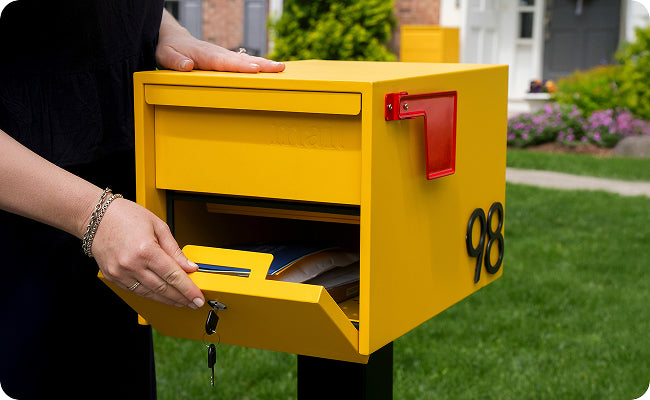
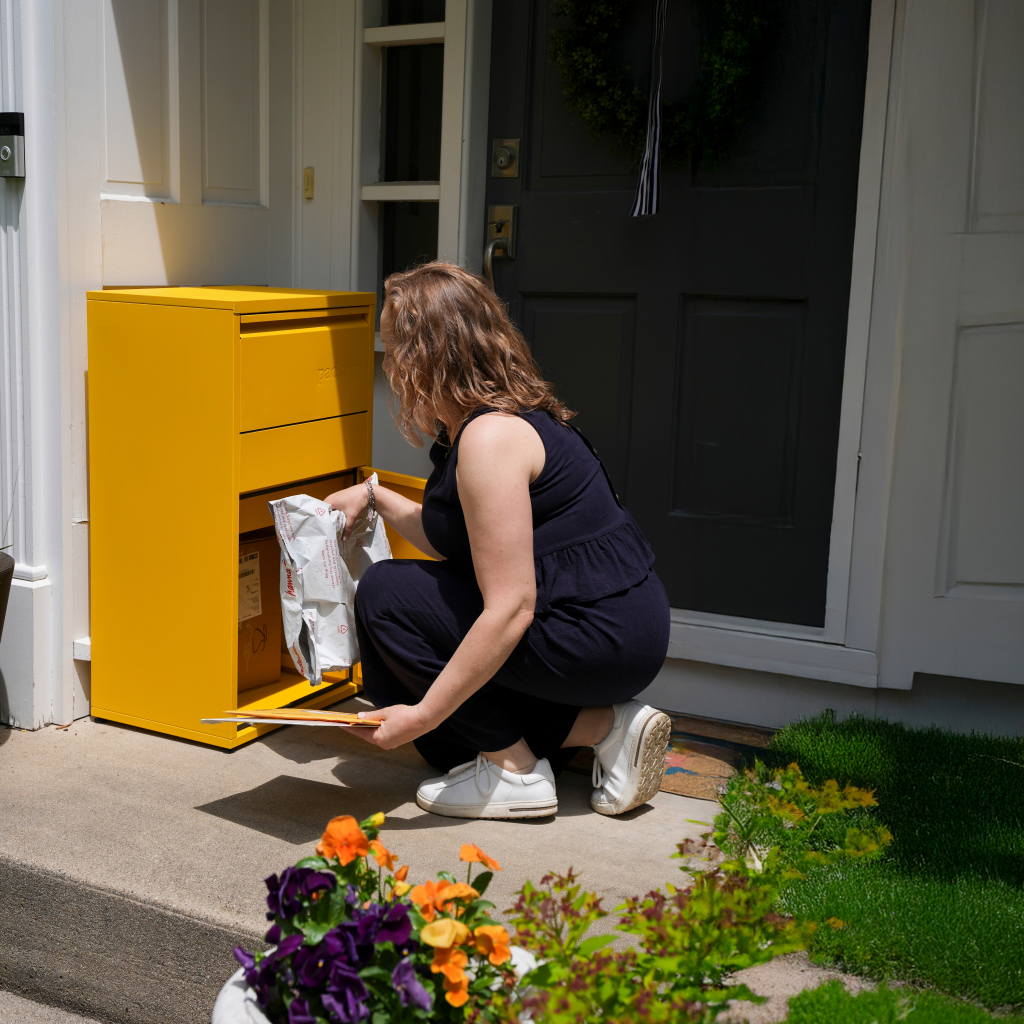
A package box gives you the locker's security at your own front door, and it works with every carrier (Amazon included). The driver opens a top door and drops the package in; an anti-theft panel keeps it locked inside until you retrieve it with your key. No trip, no pickup window, no “Amazon-only” limit.
Adoorn's Package Box is built for it: heavy-duty galvanized steel construction, stainless steel hinges, a rust-resistant powder-coat finish, weatherproof and worry-proof. It accepts 85%+ of everyday deliveries and works with USPS, UPS, FedEx, Amazon, and regional couriers, with no app and no driver training.

| 06 | Side By Side |
Amazon Locker vs. a home package box.
If you do not have a safe porch, a locker is a fine answer. If you do, and your packages come from more than just Amazon, a box on your own porch is the easier, always-home option.
Adoorn · Free shipping · 30-day returns · Backed by warranty · Designed in Chicago · Ships fully assembled
| 07 | Why Homeowners Pick It |
Homeowners who switch from chasing lockers to a box on the porch tend to say the same thing: the deliveries are just there when they get home, locked and dry. Adoorn is on more than 350,000 homes, and the Package Box carries a 4.5-star rating across 165+ reviews. Design-led security that earns its spot on the porch.
Skip the trip. Keep the security.
Deliveries that wait for you, locked, on your own porch.
See The Package Box →| 08 | The Questions |
Frequently asked.
How do you ship to an Amazon Locker?
At checkout, choose a nearby pickup location (or add an Amazon Locker to your account), place the order, and Amazon emails a pickup code when it arrives. Enter the code at the locker and the door opens. Collect it within the pickup window or it is returned.
Can you use an Amazon Locker for non-Amazon packages?
No. Amazon Hub Lockers only accept packages shipped by Amazon; deliveries from FedEx, UPS, USPS, or other retailers do not qualify. For packages from any carrier, an at-home locking package box is the more flexible option.
Is Amazon Locker free?
Yes. For eligible Amazon orders there is no extra charge; it is the same cost as standard delivery. The trade-off is the trip to the locker and the pickup deadline; there is no fee.
What are the alternatives to Amazon Locker?
The main alternatives are a locking package box on your own porch (works with every carrier, always home), a delivery to your workplace, or a trusted neighbor. For most homeowners with a porch, a package box is the closest match to the locker's security without the trip.
What are the pros and cons of Amazon Locker?
Pros: free, keeps packages out of sight, good without a safe porch. Cons: Amazon-only, a trip to retrieve, a pickup deadline, and compartment size limits. A home package box keeps the security and removes the trip.
Keep Going
- Compare sizes & security: Best lockable package box buying guide
- Prevent the next event: The mail & package theft prevention guide