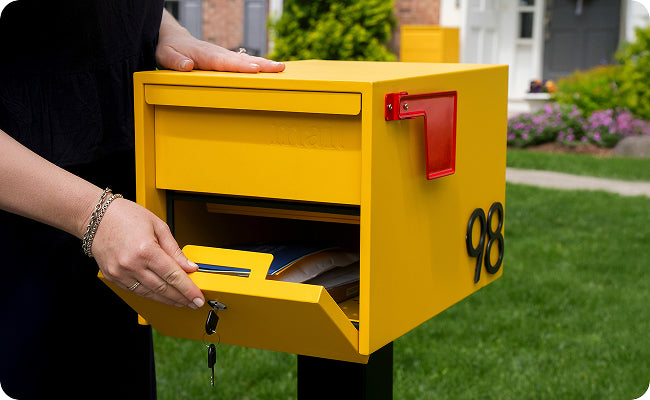
How to Notify Delivery Services for Your Adoorn Mailbox
Tell UPS, FedEx, Amazon, and USPS to deliver inside your Adoorn mailbox or package box. Each carrier has its own portal — this guide walks through all four with copy-paste-ready instruction text.
Quick start
Pick a single, consistent location for your Adoorn (front porch, side gate, etc.).
Create a customer account with each carrier you receive packages from (links in each section below).
Paste the standard instruction text into each carrier's delivery instructions field.
Update the default shipping address on Amazon and other major retailers so future orders inherit your instructions.
Standard delivery instruction (copy & paste)
Use this for carriers with no character limit (UPS, Amazon, USPS):
Open the Adoorn box on the [front porch / side gate / back door]. Lift the lid or open the door, place the package inside, and close it.
Replace the bracketed text with the actual location of your Adoorn product.
For FedEx (35-character limit):
Open Adoorn box, place inside
Common Delivery Services
UPS
Use the UPS My Choice portal to set persistent driver instructions for every UPS package delivered to your home.
Create a UPS My Choice account if you don't have one.
From the dashboard, under UPS My Choice for Home, select Set My Preferences.
Navigate to Delivery Options → Driver Instructions → Provide Location and Instructions.
Paste the standard instruction text and save.
FedEx 35-character limit
Use FedEx Delivery Manager to set address-level delivery notes. FedEx caps these at 35 characters — use the short version of the instruction text.
Create a FedEx Delivery Manager account and complete address validation.
Open the Delivery Address(es) section, then click view/edit next to your home address.
Find Delivery Instructions → Help find your address.
Choose a location from the dropdown, then paste the 35-character instruction text and save.
Amazon
Set per-address delivery instructions in Your Addresses. These flow through to most Amazon-fulfilled deliveries, including Amazon Fresh and Whole Foods.
From your Amazon account, open Your Addresses.
Click Edit next to your home address.
Set the Delivery Location to where your Adoorn is installed (front porch, back door, etc.).
Open Add Delivery Instructions and paste the standard instruction text.
Click Save Changes.
USPS
USPS handles delivery instructions per-package, not at the account level. Sign up for Informed Delivery to be notified when a package is on the way, then add instructions on the tracking page.
Create a USPS Informed Delivery account.
In Settings, enable text or email package alerts.
When an alert arrives, open the tracking page.
If Change Delivery Instructions appears, click it and paste the instruction text. (Not all packages are eligible — only those USPS routes through the Delivery Instructions service.)
Carriers Without Online Portals
Some local couriers and grocery delivery services don't have account-level instruction portals (DHL, OnTrac, Instacart, DoorDash, etc.). For those:
Use the per-order delivery notes field. Most apps let you add a note when placing an order — paste the standard instruction text.
Add a note to your default shipping address in retailer accounts (Target, Costco, Walmart, etc.) — these typically pass through to the courier.
Post a small sign near your Adoorn ("Open box, place inside") for drivers who don't read app instructions before approaching.
Frequently Asked Questions
Will my packages be safe inside the Adoorn?
Yes. Adoorn locking models are theft-resistant by design — the lid mechanism prevents reach-in retrieval, and the locking lid keeps packages secure once placed inside. Non-locking models keep packages out of sight from the street.
What if my driver doesn't follow the instructions?
Driver compliance varies. Setting instructions in each carrier's portal makes it more likely — those notes appear directly on the driver's handheld scanner. If a specific driver consistently misses, leave a small printed sign near the Adoorn. For repeat issues, file feedback through the carrier's customer service.
Why does FedEx limit me to 35 characters?
FedEx caps address-level delivery instructions at 35 characters in their Delivery Manager system. Use the short version above ("Open Adoorn box, place inside" — 30 characters) or another abbreviation that fits.
Can I use this for Amazon Fresh, Whole Foods, or grocery delivery?
Yes. Amazon Fresh and Whole Foods deliveries follow the same instructions you set in Your Addresses. For other grocery services like Instacart and DoorDash, use the per-order delivery notes field.
Do I need to do this once per delivery, or just once?
Once per carrier. Account-level instructions in UPS, FedEx, and Amazon persist across all future deliveries. USPS is the exception — it works per-package once the alert hits Informed Delivery.